Viewing Data Dictionary Report
You can view a data dictionary report at the system level. The data dictionary report includes all the environments in the system and it can be exported in various formats, such as HTML, PDF, and MS Excel.
It is meaningful to view data dictionary report after scanning metadata into an environment.
To view data dictionary at system level, follow these steps:
- On the Explore tab, hover over a system and click
 to open.
 - Click Options.
The available options appear.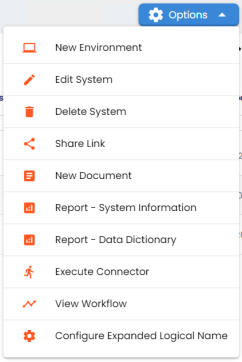
- Click Report - Data Dictionary.
- HTML (
 )
) Use this option to export the report in the HTML format.
- PDF (
 )
) Use this option to export the report in the PDF format.
- MS Excel (
 )
) Use this option to export the report in the XLSX format.
- MS Word (
 )
) Use this option to export the report in the DOCX format.
- RTF (
 )
) Use this option to export the report in the RTF format.
The Data Dictionary Report appears. You can use Select System to view the data dictionary reports of any system.
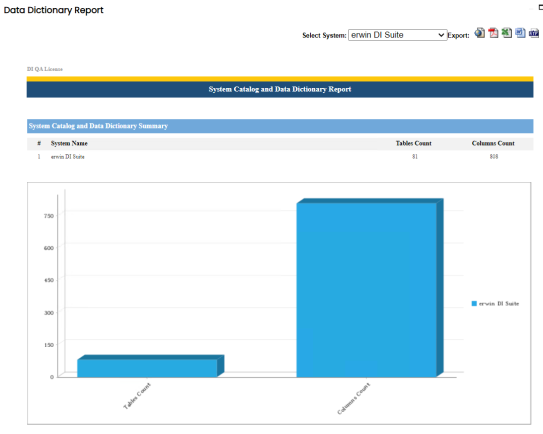
Use the following options to export the data dictionary report: